Overview
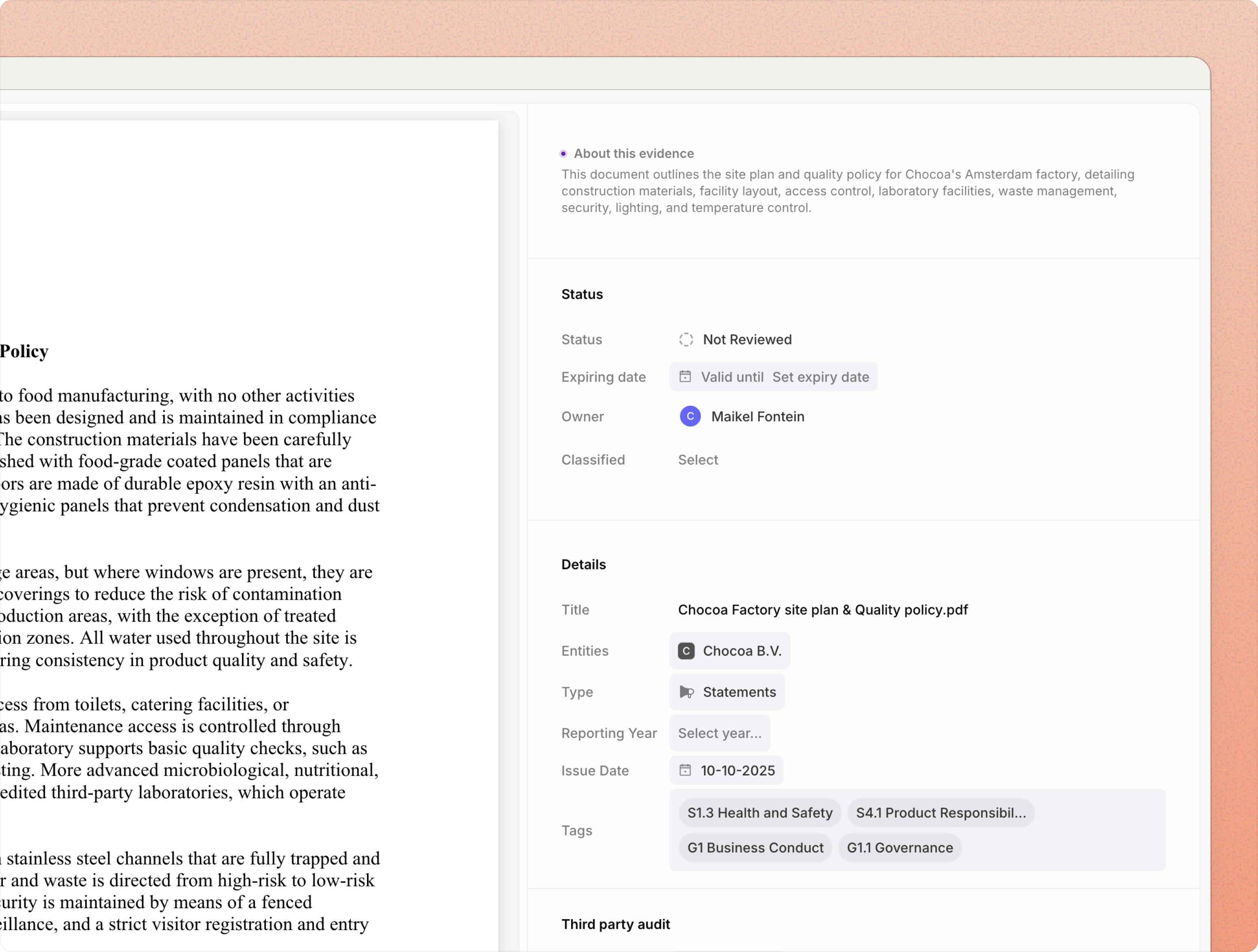
Review and update extracted content and suggested metadata. Edit properties likeTitle, Type, Source, Entities, Tags, and Owners. Accept or adjust auto‑tag proposals, then approve to mark the item ready for reuse; all changes are recorded in the audit trail.
- App
- Extension
- Go to
Evidence - Select an item to open details
- Edit properties:
Title,Type,Source,Entities,Tags,Owners - Review
Auto‑tagsproposals; accept or adjust - Click
Approveto mark ready for reuse (audit trail recorded)