

Overview
When evidence is updated — whether manually or through a connected source — Passionfruit saves the updated file as a new version instead of overwriting what was already there. This gives your team a clear history of what changed and when. When you open a piece of evidence, the Version field shows when the current version was created and lets you view the full history.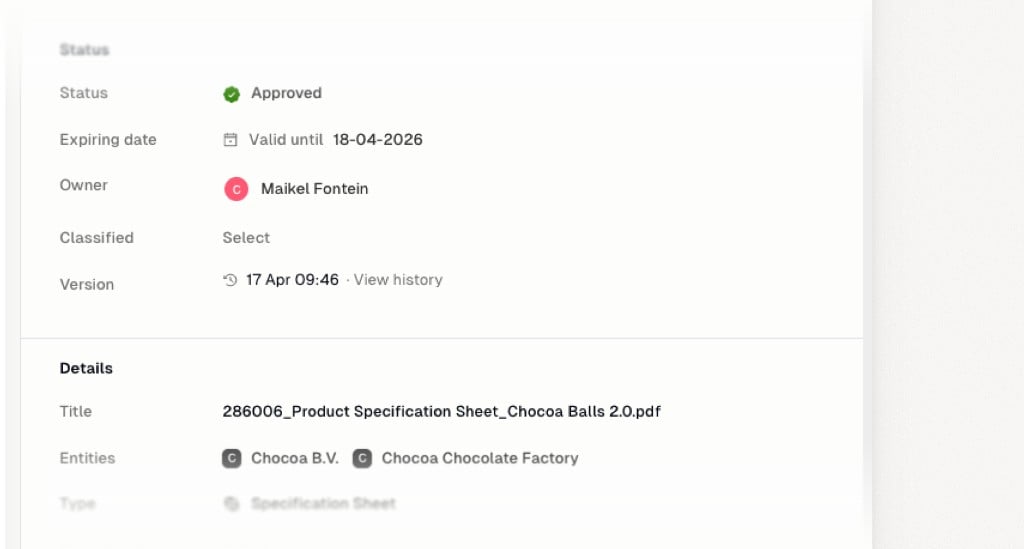
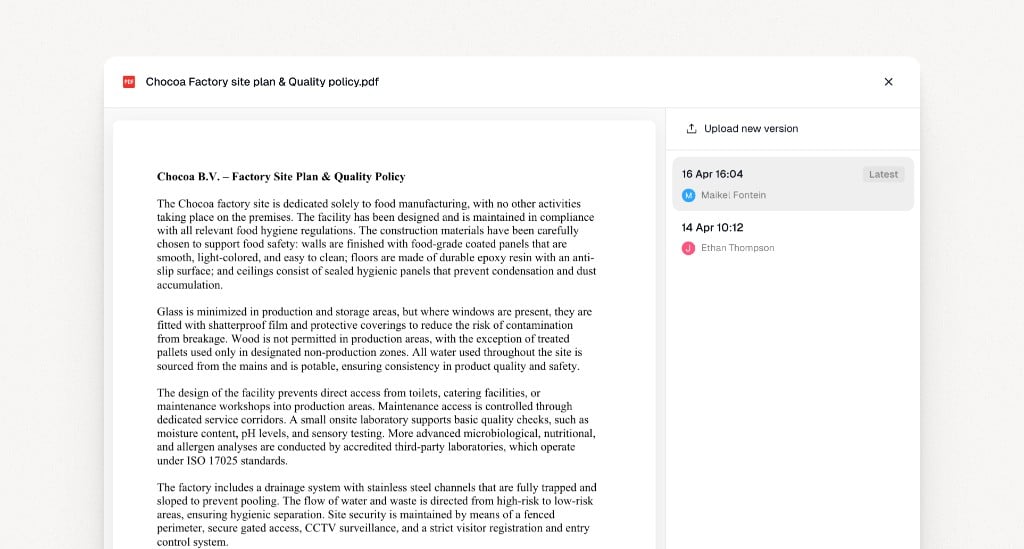
- Every update is preserved as a separate version
- Previous versions remain accessible, so you can always refer back
- You can see exactly when each version arrived and what changed
Reviewing approved answers
When evidence changes, answers that were generated from that evidence are automatically moved to To review. Your team gets a clear signal that the underlying document has changed and certain responses may need another look.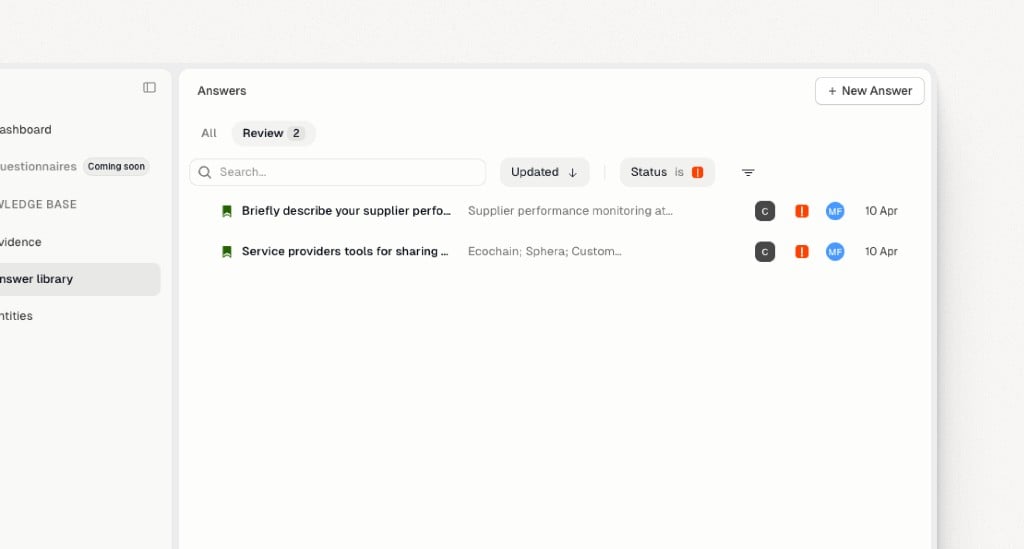
- Answers linked to changed evidence are surfaced for review automatically
- No one has to remember to check — Passionfruit flags what needs attention
- Your responses always reflect the latest version of the source material