Documentation Index

Fetch the complete documentation index at: https://docs.passionfruit.earth/llms.txt

Use this file to discover all available pages before exploring further.

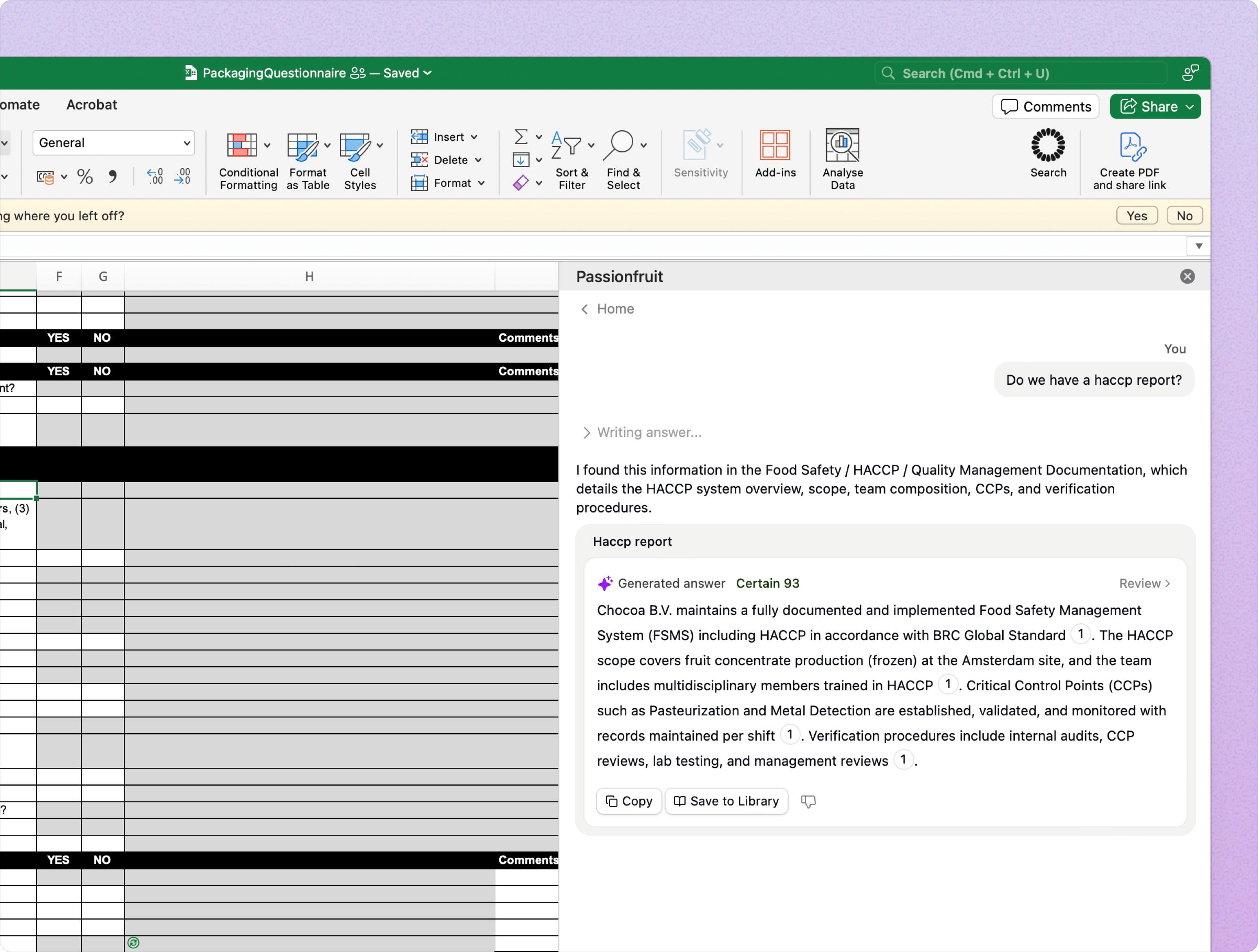
If you work in food quality or food safety, you spend a lot of time on questionnaires: supplier self-assessments, customer audits, specification checks, and certification paperwork. Use this page to get set up—open the pack you received, launch Passionfruit where you already work, then use Chat when you are ready to draft answers grounded in your specs, procedures, and evidence. Start questionnaire image
1

Open your questionnaire

Open the file or link you were sent—often Excel or Word for specification and audit templates, sometimes a PDF or a customer portal—so you can see the questions you need to complete for that customer, retailer, or audit.
2

Open Passionfruit

Passionfruit runs as an add‑in in Office, or as an extension in your browser. Pick the row that matches where you usually work on quality documentation:
Where you workWhat to do
Excel or WordOpen the file, then open the Passionfruit add‑in from the ribbon or menu.
PDFConvert to Word if you need to edit in Office, or open the questionnaire in the browser if that is how your customer or team shared it.
BrowserOpen the questionnaire in the browser and use the Passionfruit extension on that page.
3

Pick a question and open Chat

Start with one row or section—ingredient declaration, allergen control, traceability, or whatever you are tackling first. Open Chat from the Passionfruit app or extension, ask in plain language (as you would to a colleague in quality), and you will get a suggested answer with citations back to your documents so you can verify before you sign off.

What happens next

You will not need every doc page on day one. Most quality teams start by asking questions in Chat. If answers should only use certain policies, specs, or evidence sets, you can adjust search configuration at any time—before you ask or while you are already in the middle of a long supplier pack. When you want the full picture, how we generate answers explains search, the Answer Library, and when we draft something new versus reuse an answer your team already approved—useful when the same questions come back from different customers. Before you paste or submit, use review to check sources and citations against your release criteria, then place answers in the right cells or fields. If an answer should be standard for next season’s questionnaires, save it to the Answer Library so specifications and quality stay consistent. If you work in large Excel specification files, you can also pull suggested answers into cells with formulas—see Excel functions. If your pack contains ingredient or allergen matrices, use the table workflow in Ask questions. For certification-heavy packs, keep your library aligned in Edit answers.